Quick setup
The wizard will guide you step by step through the installation process.
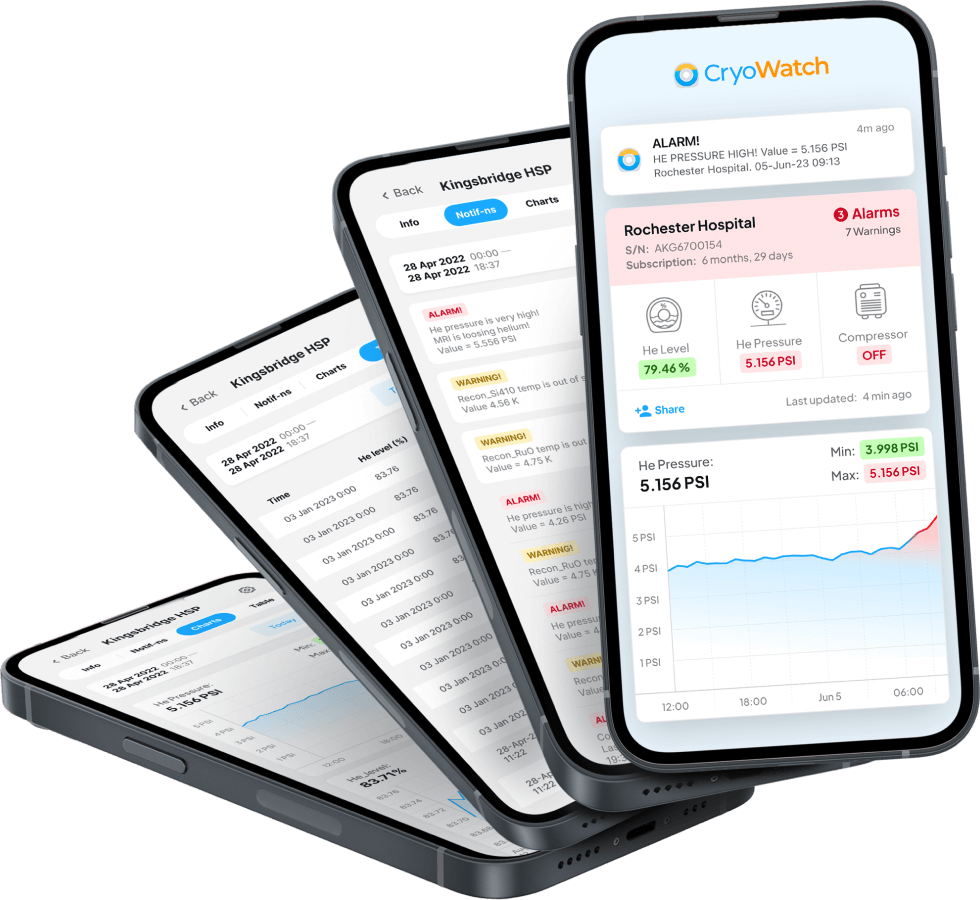
The CryoWatch monitoring system is designed to monitor GE Healthcare MRI cryosystem data. Intelligent data analysis will help you to prevent liquid helium loss - a critical and expensive basis for MRI by reporting problems in time. Use your smartphone to monitor your MRI system. Don't lose helium!
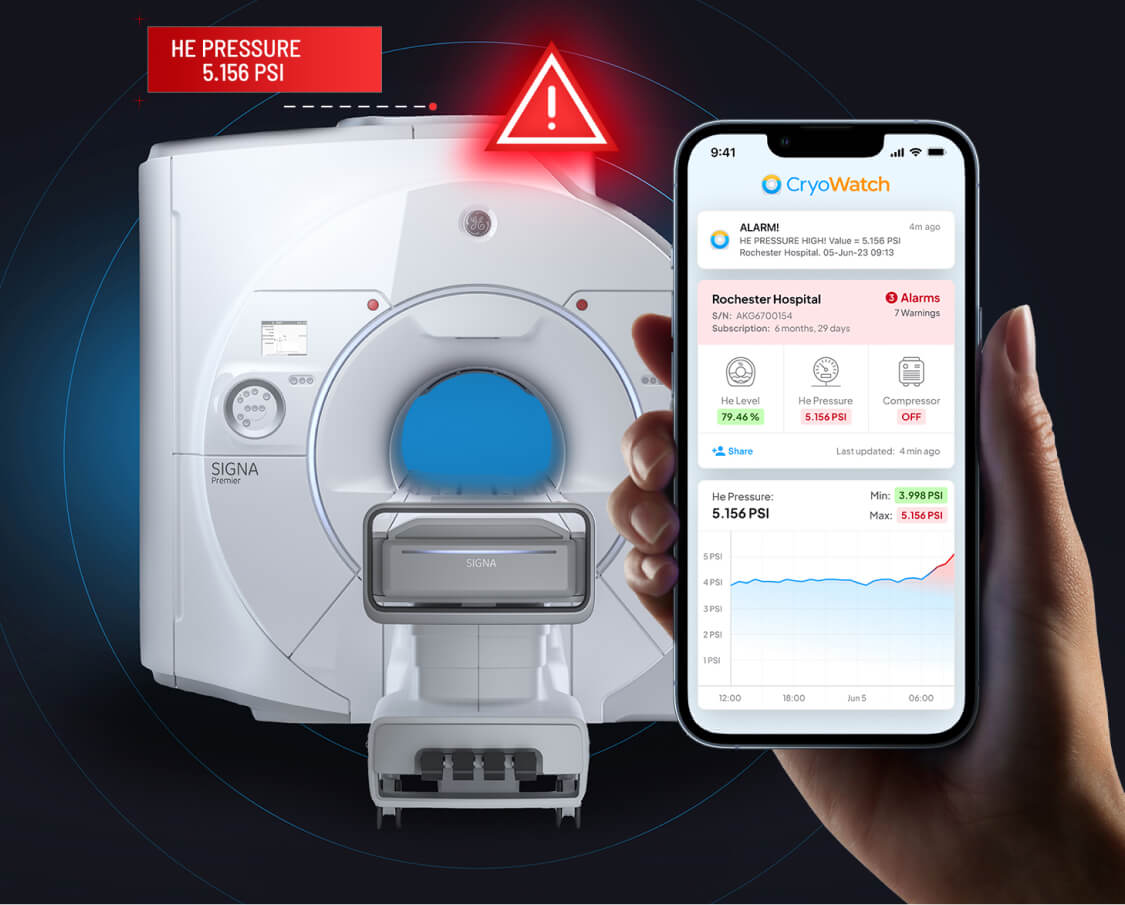
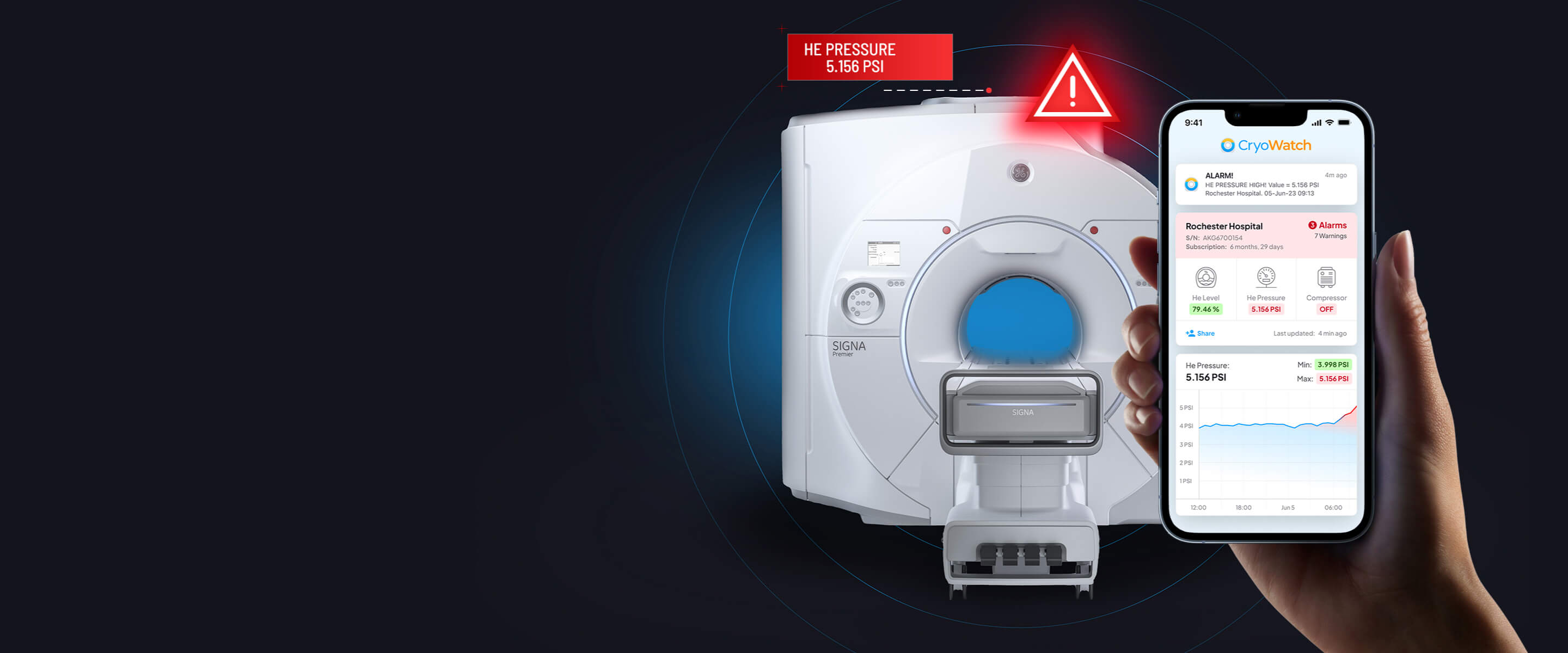
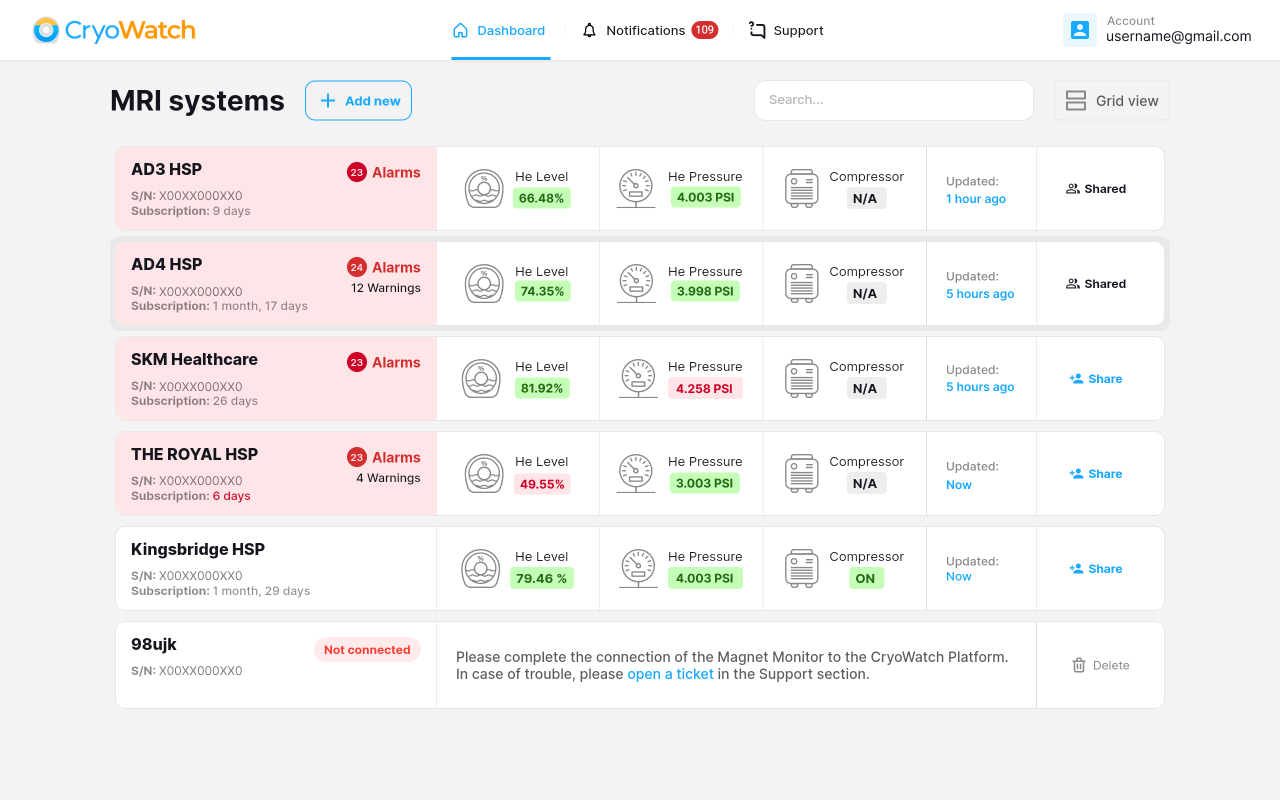
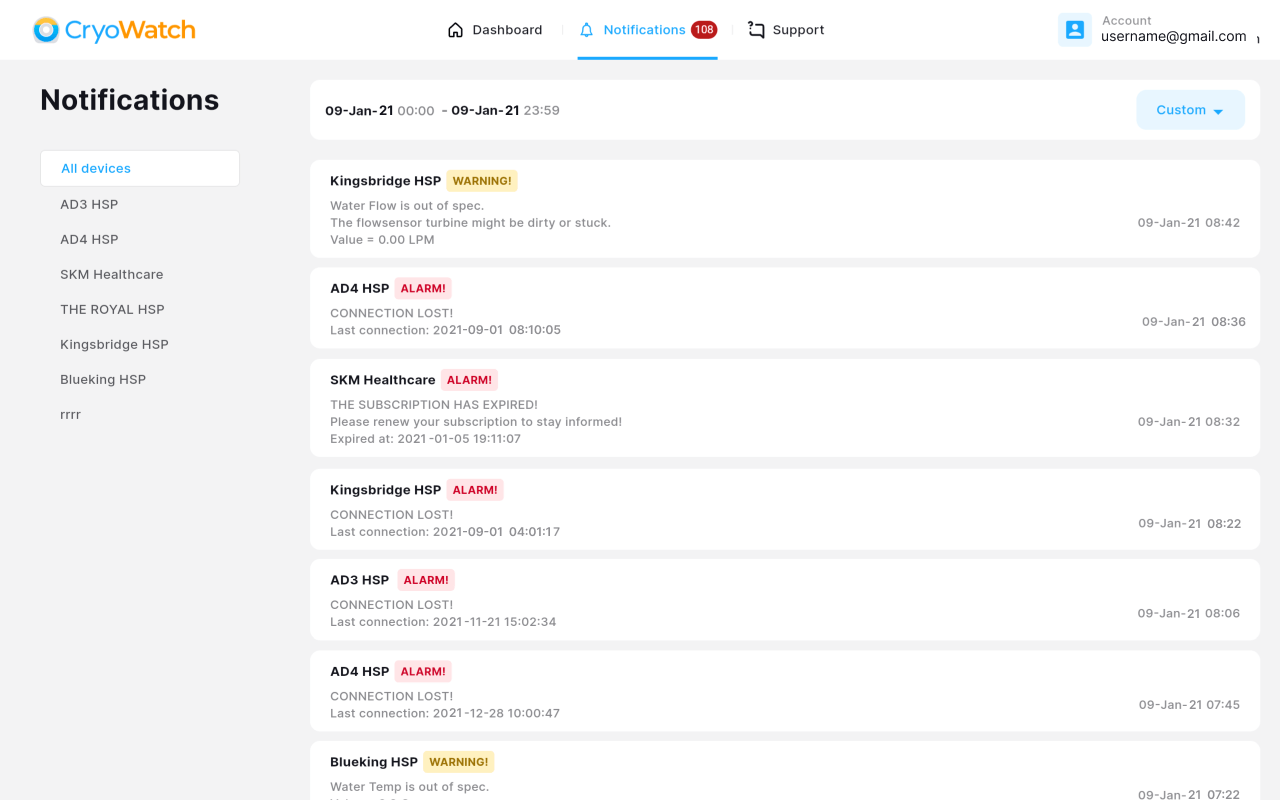
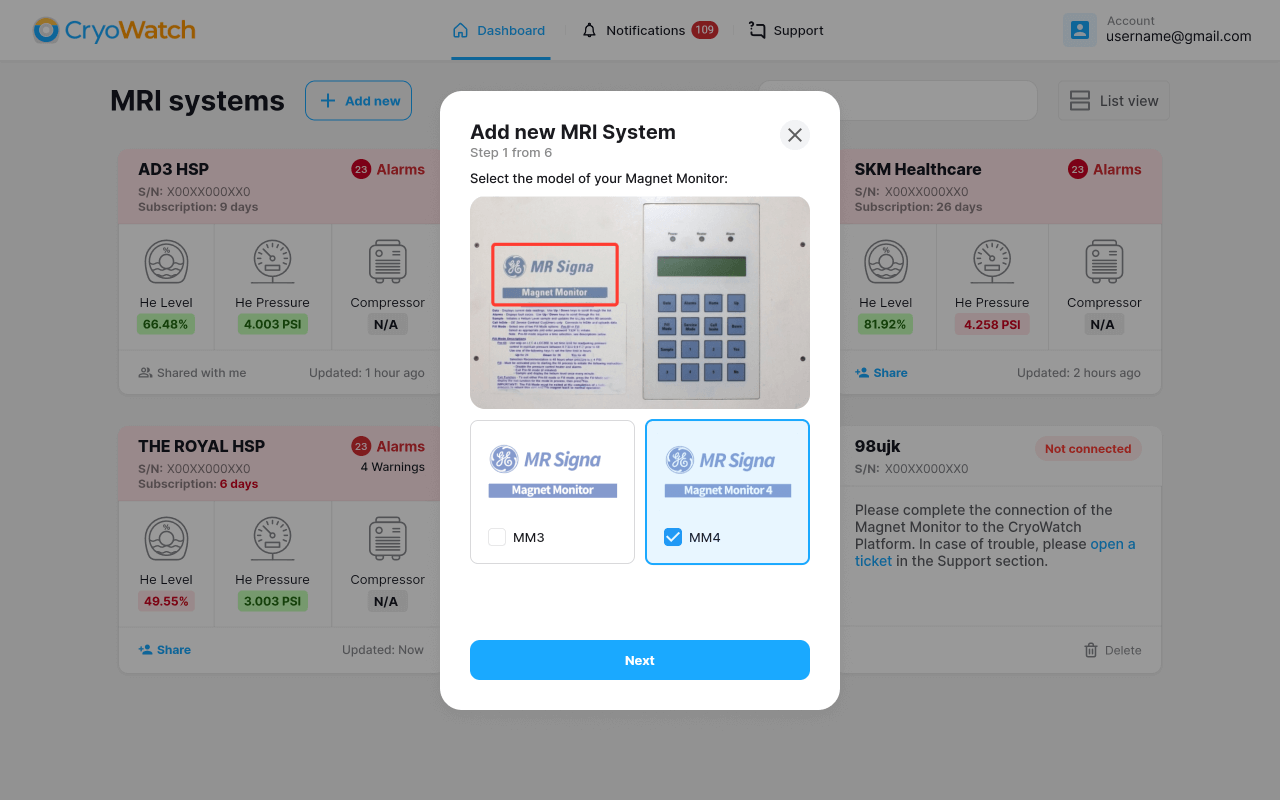
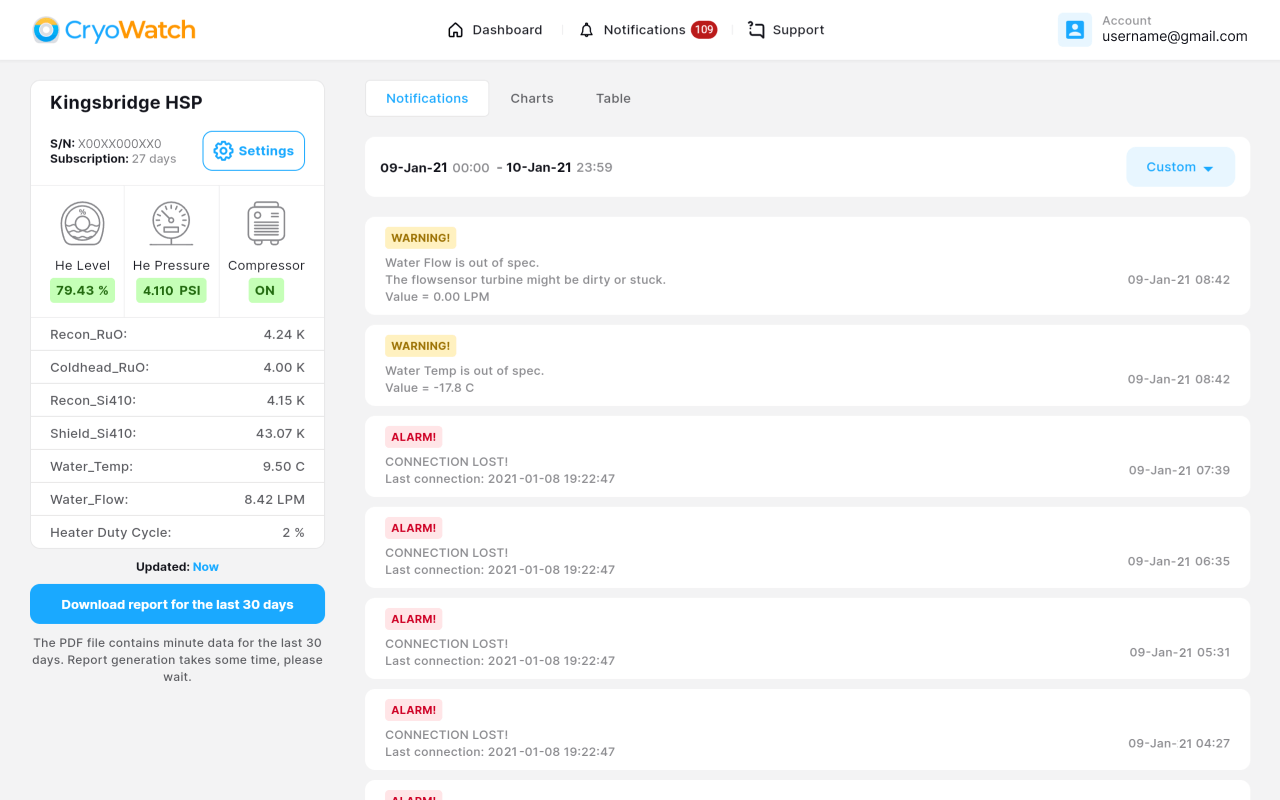
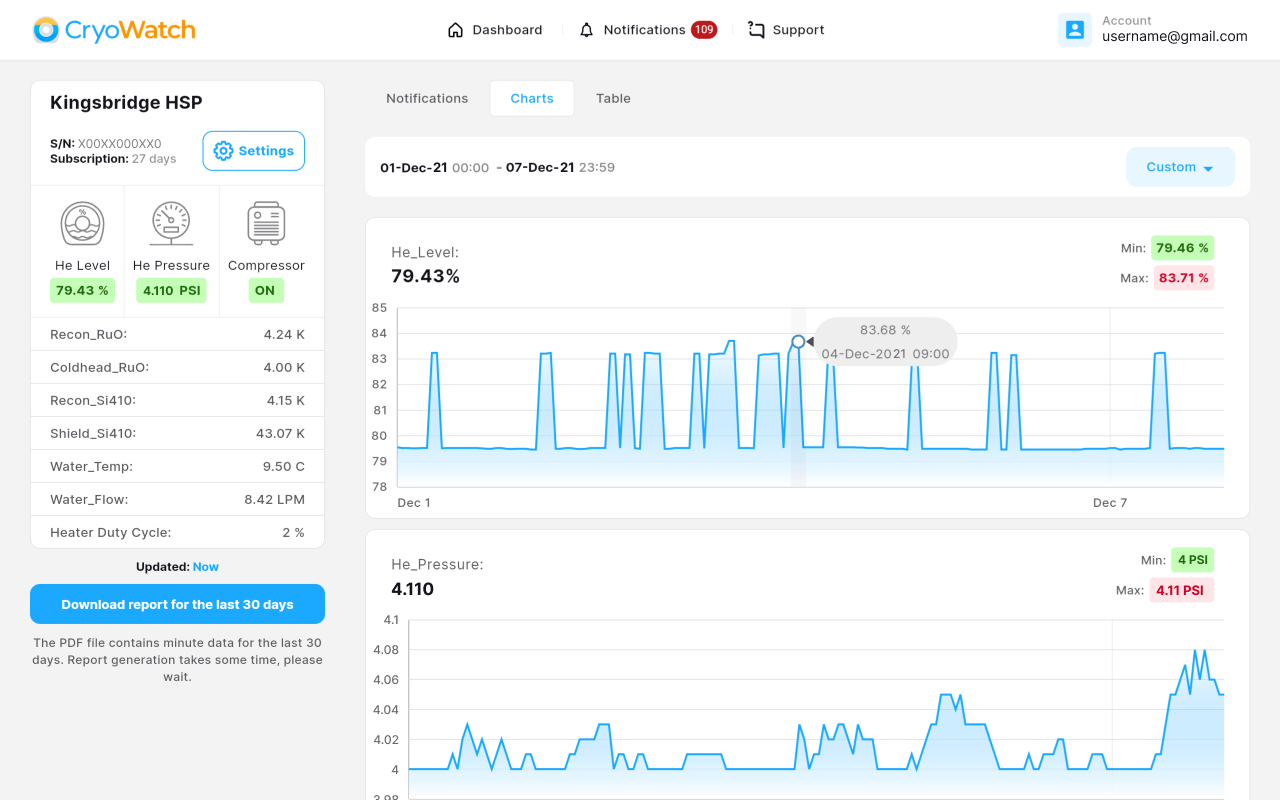
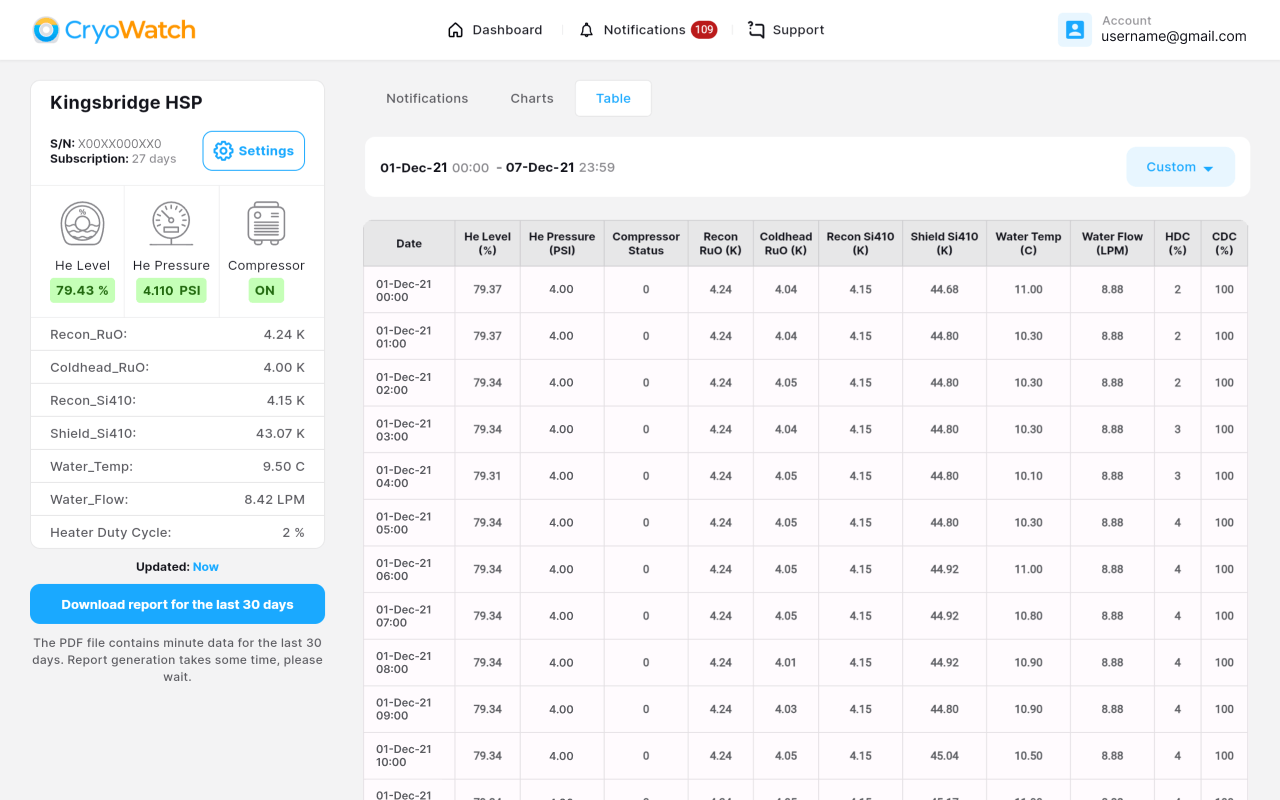
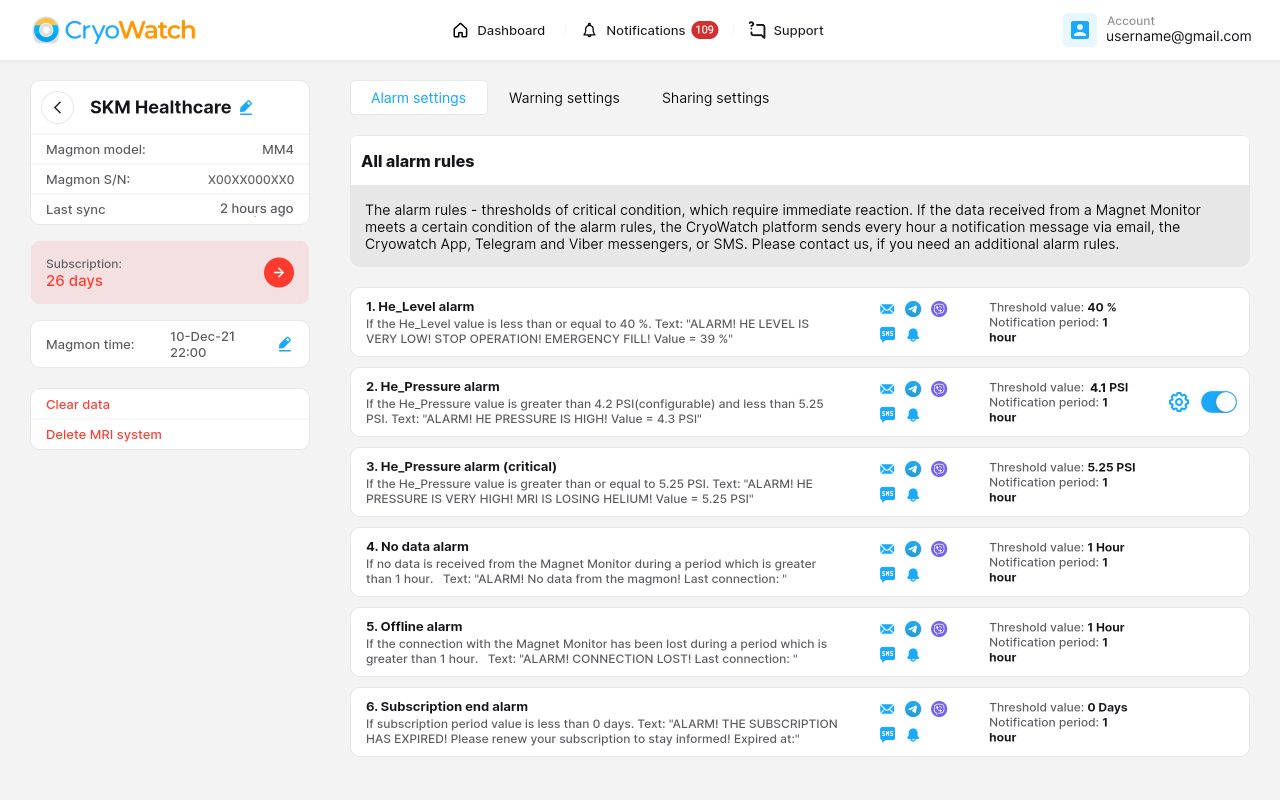
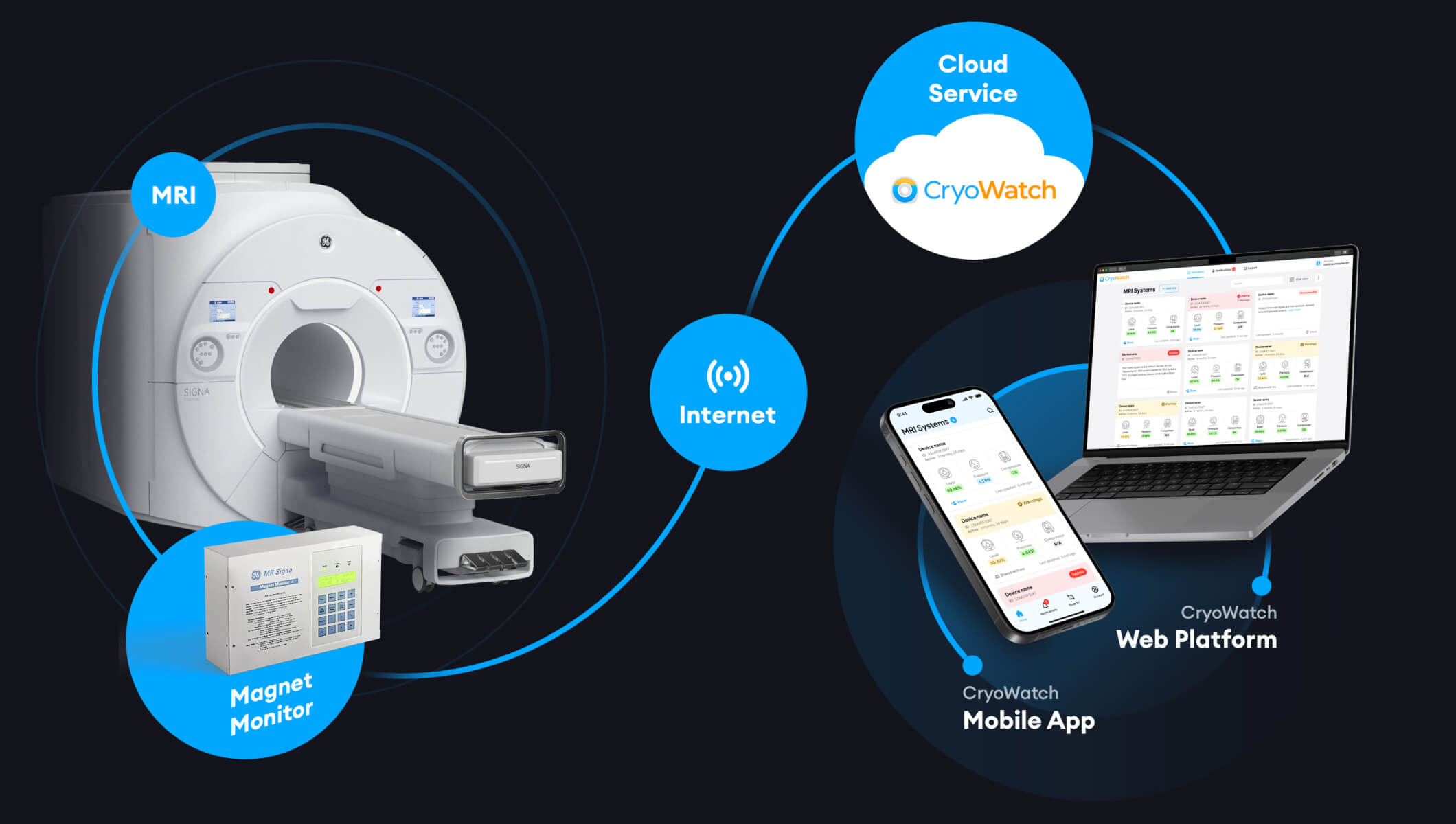
The CryoWatch monitoring system receives data from the GE Healthcare Magnet Monitor - a standard GE MRI cryosystem control device for storage, visualization, and analysis. No additional equipment or changes to the GE equipment design are required.
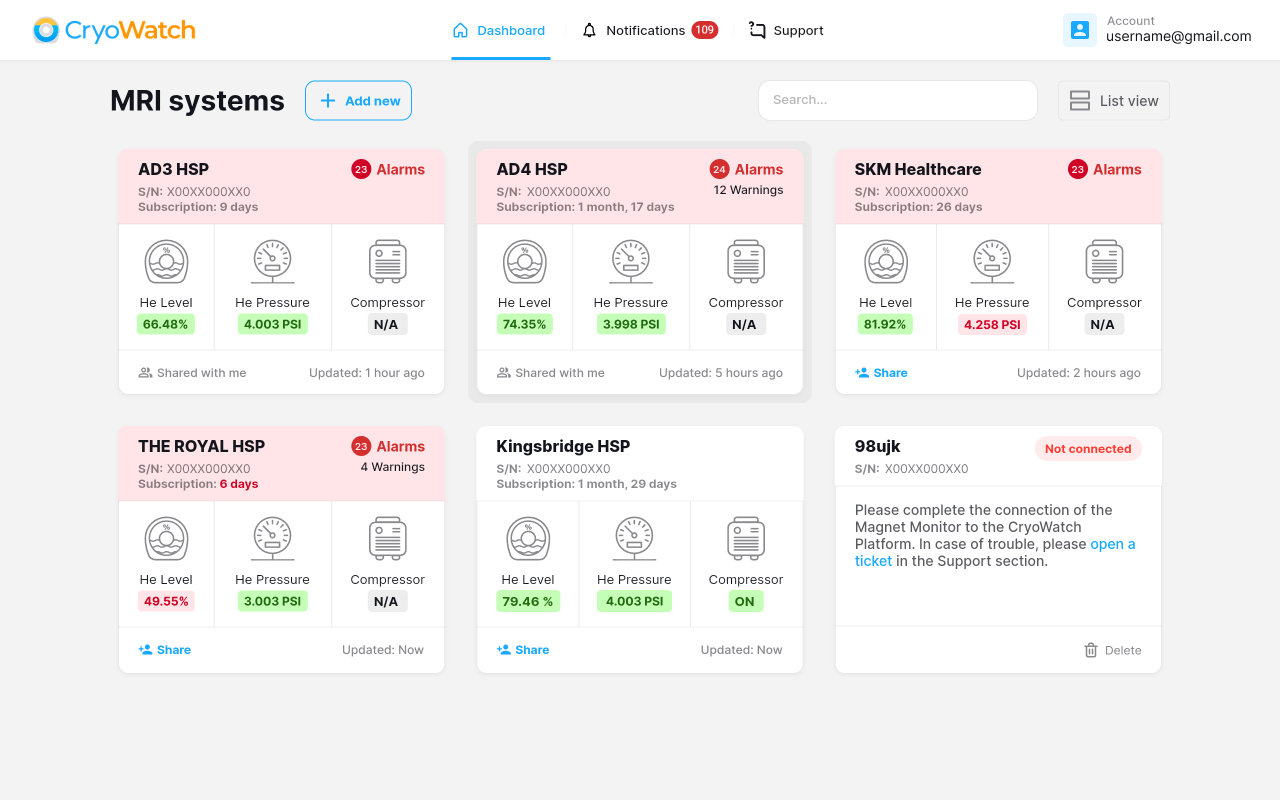
Data visualization includes widget-based dashboards, graphs, tables, and much more. In case of any issue detection, the CryoWatch system informs customers via SMS, Telegram, Viber, and e-mail notifications.
Sharing your system with your teammates, who also use the CryoWatch system - is a great opportunity for collaborative monitoring to prevent helium loss.
The CryoWatch cloud service receives data from the GE Healthcare Magnet Monitor - a standard GE MRI cryosystem control device. Stores, displays data, and informs about the parameters going beyond the permissible limits.
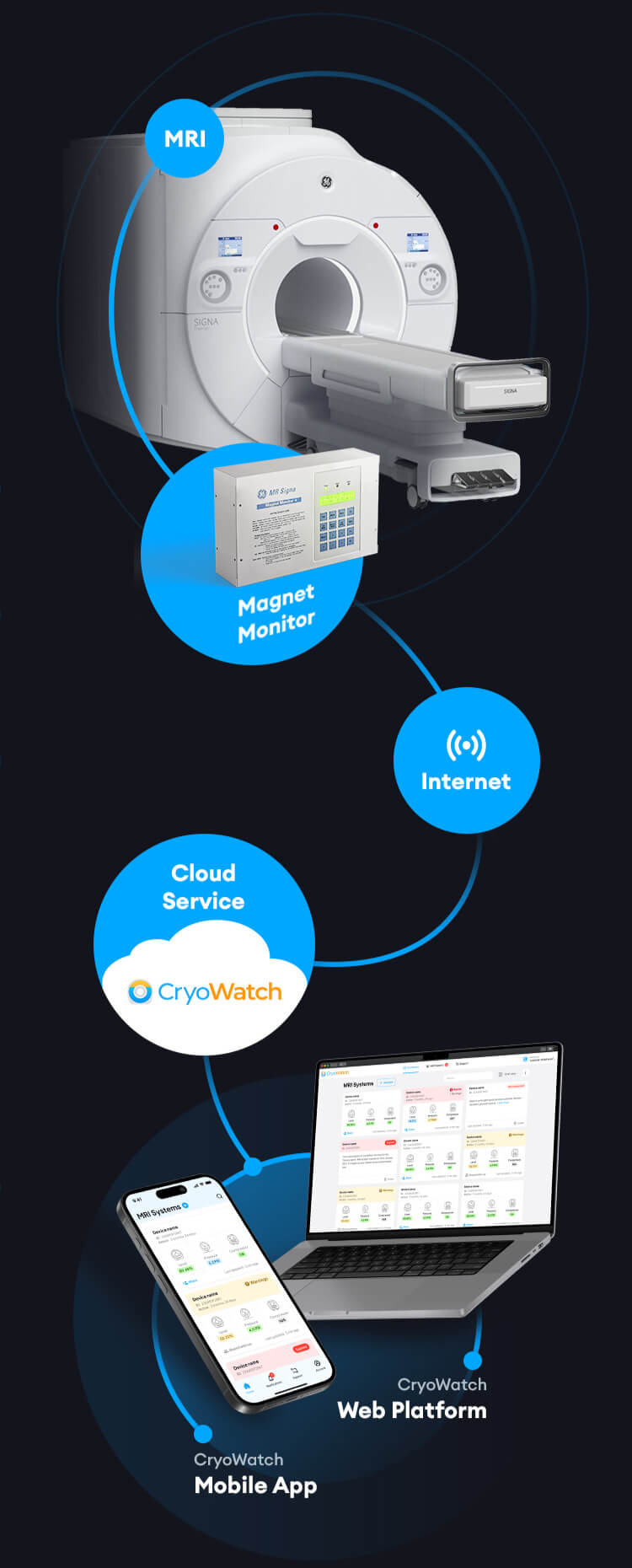
The wizard will guide you step by step through the installation process.
Does not require the purchase of additional equipment or change hardware configuration.
Free collaborative monitoring via sharing to improve your team’s performance.
Real-time notifications to avoid helium loss.
Configuring connection settings using the wizard
without limitations
See the results of our latest customer satisfaction survey.
Reliable intuitive system. You no longer have to call the staff to control the parameters, conveniently, all the data can be seen on the phone screen. Informs about problems - impossible to miss. Irreplaceable helper.
Simplicity and reliability. It is convenient to use together with colleagues. Collaboration is cost-free. I had been looking for such a service for a long time, for me it's like an essential tool.
Thank you for your prompt assistance. Technical support works great. We are waiting for the application, I think it will be even more convenient.
Thank you for your service. Easy, informative and very intuitive system. In case of any issue I immediately get got an alarm notifications, that's great! I highly recommend it.
Описание правил тревоги
Правила сигнализации – пороги критических условий, которые требуют немедленной реакции. Если данные, полученные от Магнитного Монитора, соответствуют определенному условию правил сигнализации, платформа CryoWatch отправляет каждый час уведомление по электронной почте, приложению Cryowatch, мессенджерам Telegram и Viber или SMS. Пожалуйста, свяжитесь с нами, если вам нужно дополнительное правило сигнализации.
Совместный мониторинг
Делиться своей системой с коллегами, которые также используют систему CryoWatch, – это отличная возможность для совместного мониторинга, чтобы предотвратить потерю гелия. Вам нужно только знать адрес электронной почты вашего коллеги. Совместное использование позволяет вашему товарищу по команде получать тревоги, а также читать данные и настройки, но не позволяет ему их изменять. Продление подписки допустимо для совместно используемых Magmons.
Описание правил предупреждения
Правила предупреждения – пороги условий, требующих внимания. Если данные, полученные от Магнитного Монитора, соответствуют определенному условию правил предупреждения, платформа CryoWatch отправляет каждые 8 часов уведомление по электронной почте, приложению Cryowatch, мессенджерам Telegram и Viber или SMS. Пожалуйста, свяжитесь с нами, если вам нужно дополнительное правило предупреждения.
Описание режима пробной версии
Каждый клиент CryoWatch, который регистрирует новый Magnet Monitor, получает бесплатный, полный доступ на 14 дней. Вы можете иметь неограниченное количество Magnet Monitors на своем аккаунте. Уникальный серийный номер Magnet Monitor необходим для регистрации. ВАМ НЕ НУЖНО УКАЖИВАТЬ ДЕТАЛИ ВАШЕЙ КРЕДИТНОЙ КАРТЫ ИЛИ ЛЮБОГО ДРУГОГО СПОСОБА ОПЛАТЫ, ЧТОБЫ НАЧАТЬ БЕСПЛАТНЫЙ 14-ДНЕВНЫЙ ТЕСТ. ЭТО СОВЕРШЕННО БЕСПЛАТНО БЕЗ ЛЮБЫХ ОГРАНИЧЕНИЙ. Мы уведомим вас по электронной почте, как только ваш бесплатный пробный период будет близок к окончанию. Доступ к данным этого Magnet Monitor в платформе CryoWatch будет ограничен по истечении 14-дневного бесплатного пробного периода. Приобретая подписку, вы можете продлить доступ к данным Magnet Monitor в платформе CryoWatch.
Как подключить ботов Telegram и Viber
Подключение бота Telegram:
1. Откройте панель управления CryoWatch: https://dashboard.cryowatch.com/
2. В окне панели управления перейдите к [Account] – [Notification settings] – [Telegram settings]. Нажмите кнопку [Connect Telegram bot].
3. Подключите бота Telegram и начните получать уведомления Telegram.
—–
Подключение бота Viber:
1. Откройте панель управления CryoWatch: https://dashboard.cryowatch.com/
2. В окне панели управления перейдите к [Account] – [Notification settings] – [Viber settings]. Нажмите кнопку [Connect Viber bot].
3. Подключите бота Viber и начните получать уведомления Viber.
Как добавить новый магнитный монитор?
1. Откройте панель управления CryoWatch: https://dashboard.cryowatch.com/
2. В окне панели управления нажмите на [Add new] кнопку.
3. Продолжите с мастером добавления Magmon.
Платформа CryoWatch поддерживает обе версии GE Magnet Monitor: 3 и 4.